Hi,

Home, shared.

Chores rotate between partners automatically. Stop keeping score — start sharing.

Download on the App Store

For iPhone. No ads, no tracking.

Take out the trash

Kitchen
Up now: Sophie · every 2 days
Sophie
Alex

Whose turn is it?
The app knows.

Add two or more people to a chore and the turn shifts automatically after each completion. You both see who's up now and who's next — no spreadsheet, no negotiation.

  • Turns rotate automatically — no manual reassigning
  • The rotation order shows exactly who's up and who's next
  • Toggle rotation off any time for solo chores
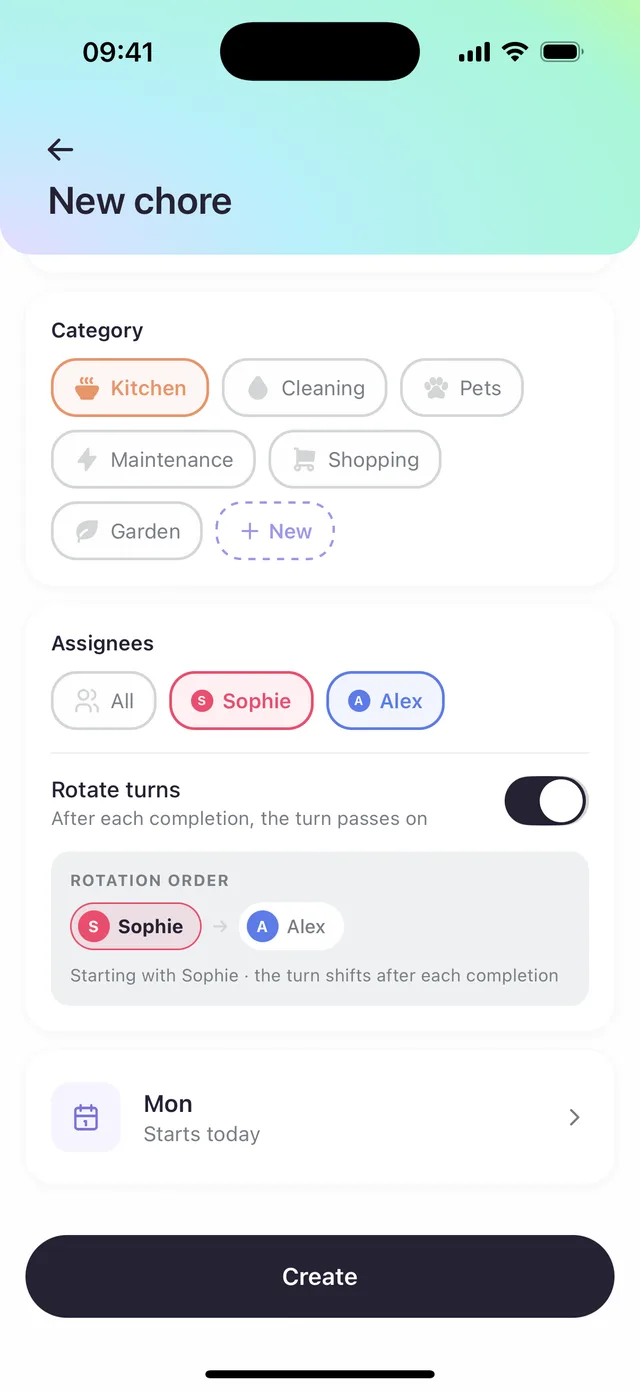
New chore form with Sophie and Alex assigned and a rotation order of Sophie then Alex

Celebrate together,
not keep score.

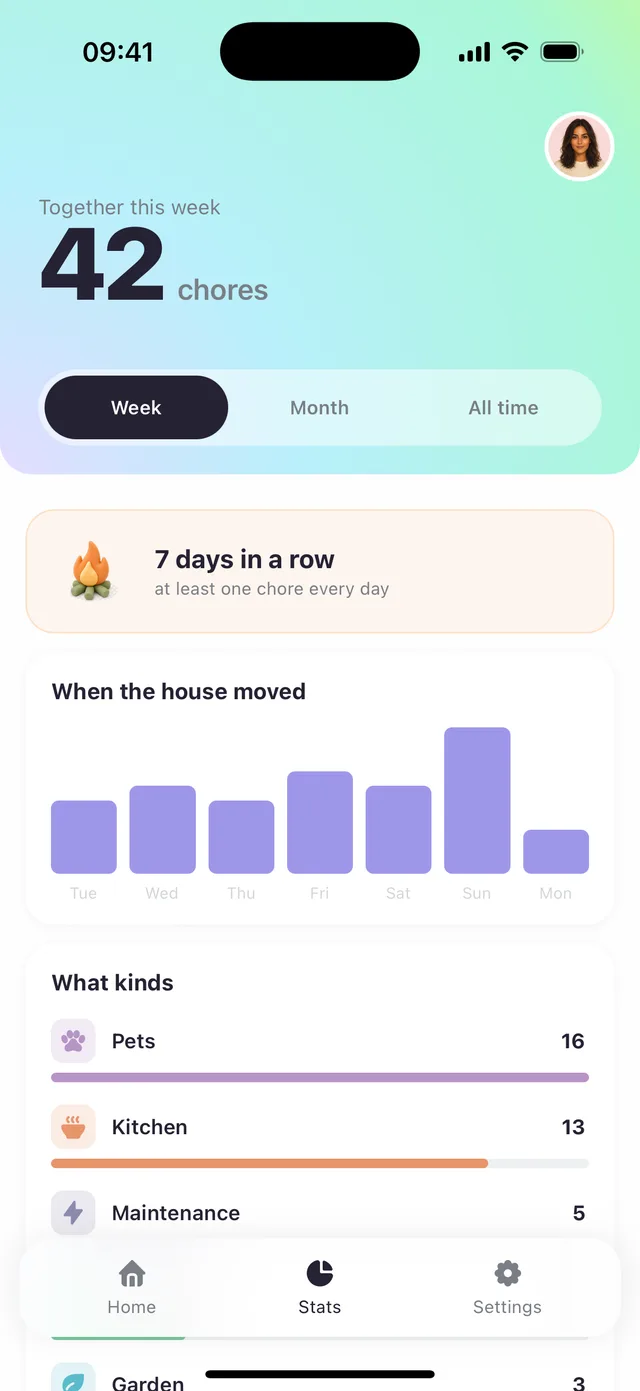
See what you did together this week, your streak, and the activity chart. Warm, not nagging. Numbers that add up — not tear down.

  • Weekly, monthly and all-time tabs
  • Streaks that reward showing up, not racking up
  • No leaderboards, no shaming, no scolding notifications
Stats screen showing 42 chores together this week, a 7-day streak and an activity chart

One list,
both phones.

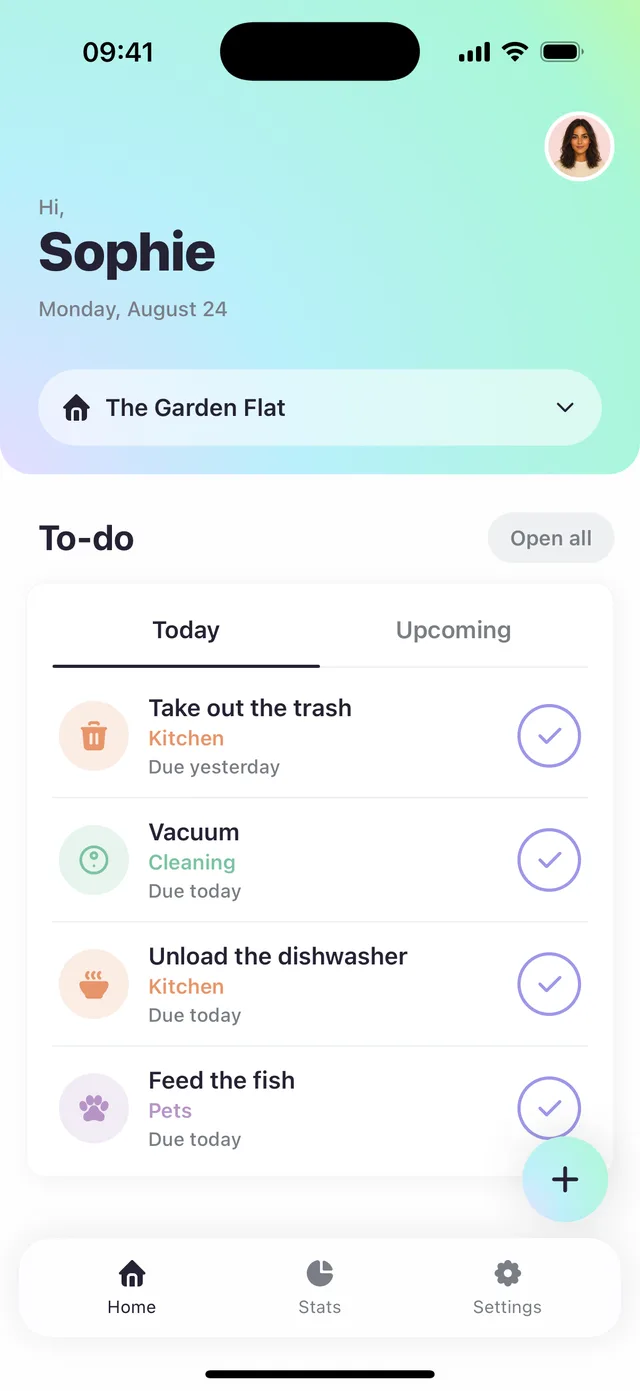
Today and Upcoming, side by side. Mark it done on your phone and it's done on theirs — the whole household stays on the same page without a single "did you...?" text.

  • Tap the circle — that's the whole app
  • Repeats on your schedule — daily, weekly, whatever fits
  • Categories with their own colors — Kitchen, Pets, Garden, yours
Home screen with a shared to-do list for The Garden Flat household

Name it. Invite them. Done.

The Garden Flat

Create your home

Give it a name. "Our Place", whatever fits.

BC4F96

Invite your partner

One code. They type it in, they're in.

S A

Add chores, let rotation run

Pick from suggestions or add your own. Turns rotate on their own.

Things
people ask.

How do you handle my data?

Your household data lives on your account and is shared only with household members. No ads, no third-party tracking. You can delete your account any time from Settings.

What if I share the invite code with the wrong person?

Household owners can reset the invite code any time from the household screen. The old code stops working instantly.

Does it work for more than two people?

Yes. Rotation supports any number of participants — two partners, three flatmates, a whole family. Everyone sees the same list and turns rotate through everyone assigned.

Is Recure on Android?

Recure is currently iPhone-only. If that changes, this page will be the first to know.

Stop keeping score.

No ads. No tracking. Just a fair way to share a home.

Download on the App Store